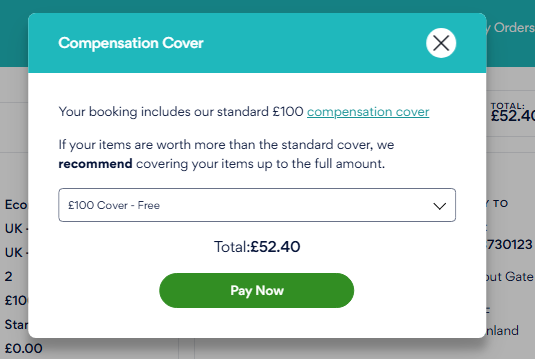
When you have declared the packaging, addresses, and collection date for your order, our website will provide a summary of your quote.
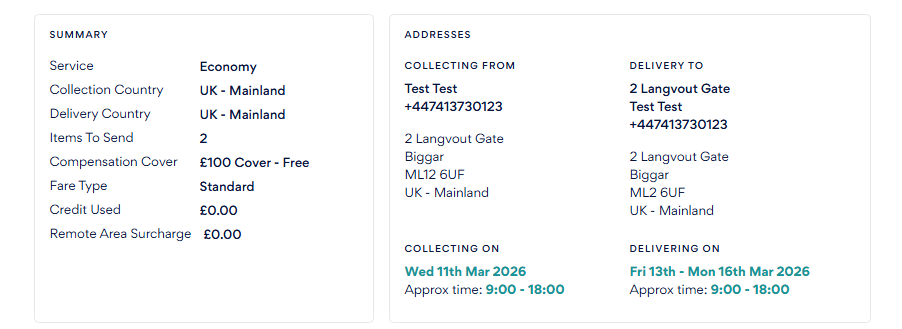
The summary of your quote and order will detail the following:
Service type
Collection and delivery address
Estimated delivery date and time
The number of items being sent
Compensation cover chosen
Fare type
Credit applied (if applicable)
Remote and/or additional surcharges, if applicable
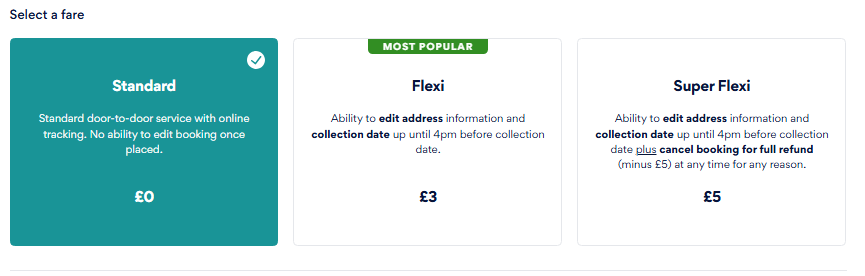
You will also be able to select the Fare type of your order. The Fare type specifies the types of changes you can make to your order berfore this is collected.
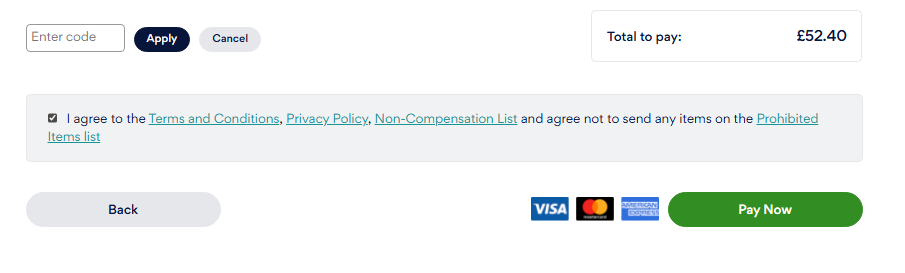
Towards the bottom of the page is where the customer can enter any discount codes, but they must also tick to agree to the T&Cs, privacy policy, Non-compensation list and prohibited list before they can proceed with payment.
Once the customer chooses to pay now, a pop-up window will appear asking if they wish to take more compensation cover.